Create Your First Bot
TL;DR
Describe your bot in plain English.
Generate, review, deploy, then add it to your Discord guild.
To create your first Discord bot with VibeCord, describe what you want in plain English, let the AI generate the bot, then deploy it and add it to your Discord guild (server).
Last updated: 2025-12-19
Step 1: Start a new project in VibeCord
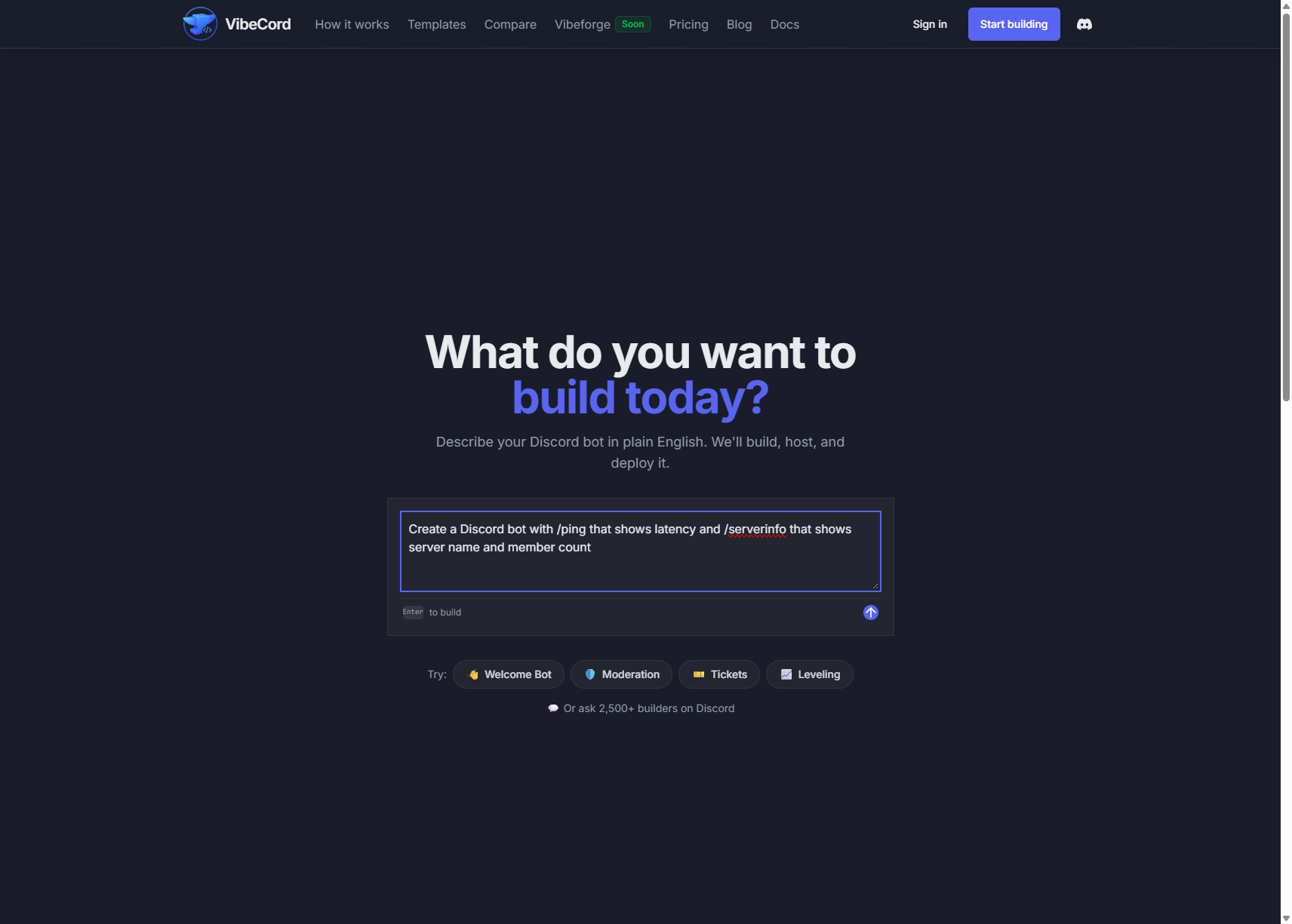
Section titled “Step 1: Start a new project in VibeCord”From the app, you’ll see a chat interface where you can describe what you want to build.

Step 2: Describe what your bot should do
Section titled “Step 2: Describe what your bot should do”Tell us what you want your bot to do. Write in plain English — no technical jargon needed.
Example descriptions:
“A bot that welcomes new members with a friendly message and gives them a ‘Member’ role”
“A moderation bot that warns users for bad language and kicks repeat offenders”
“A fun bot with commands like /joke, /meme, and /8ball”
Step 3: Generate the bot (AI builds the code)
Section titled “Step 3: Generate the bot (AI builds the code)”After you describe your bot, click Generate.
VibeCord’s AI (powered by OpenAI Codex) will start building your bot. You can watch it work in real-time:
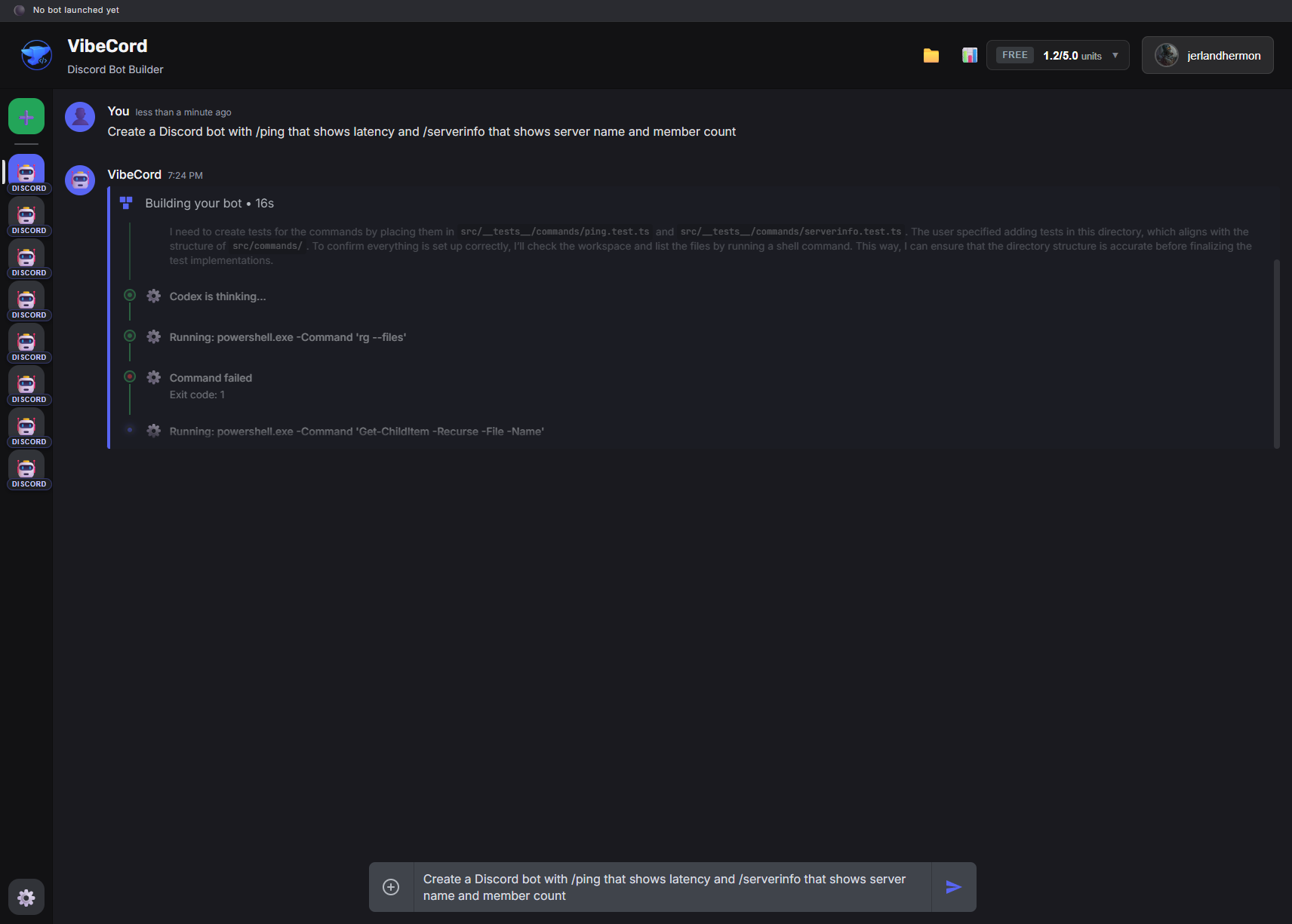
The AI will run commands, create files, and set up your bot’s code:
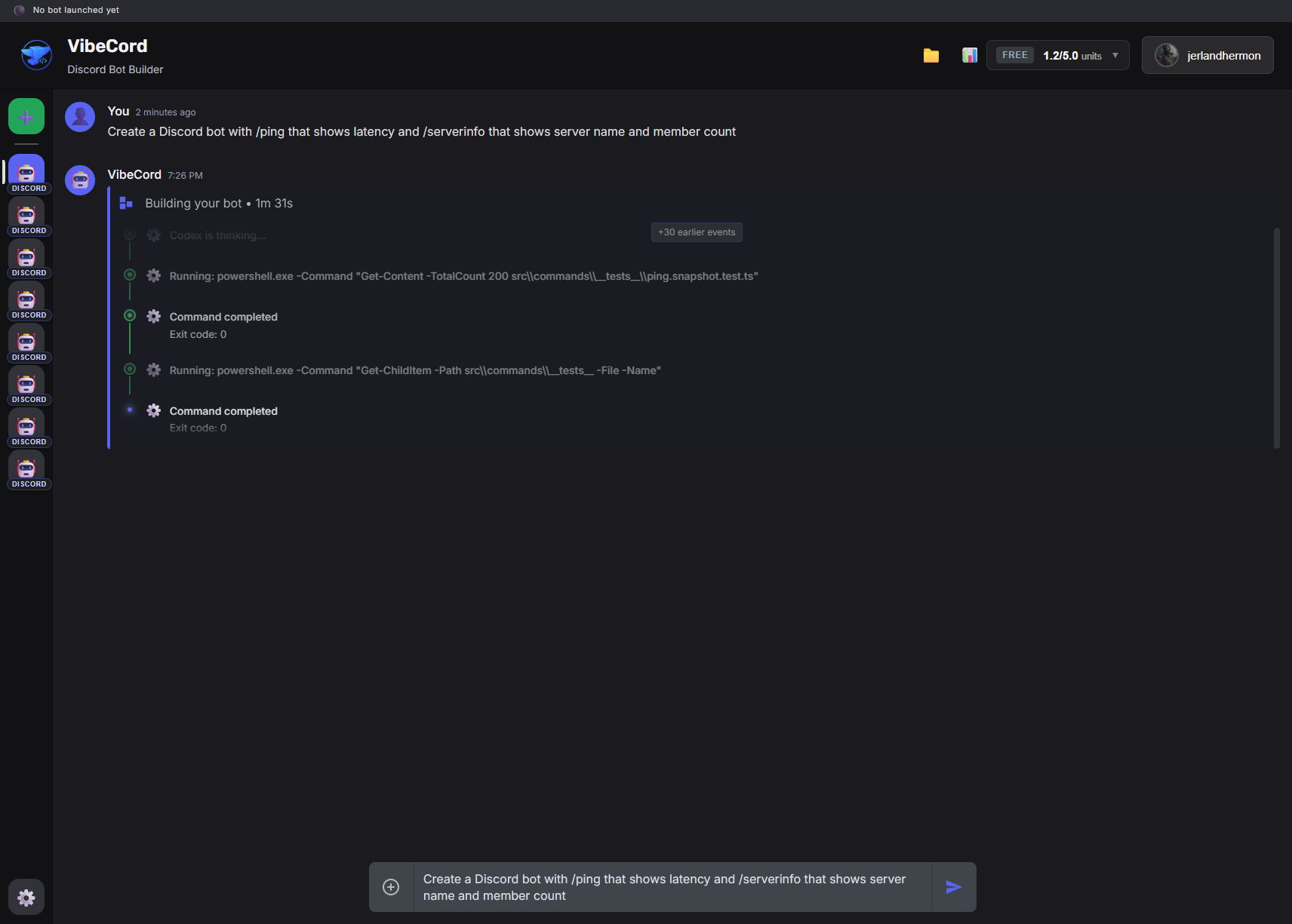
This usually takes 2-3 minutes for a typical bot.
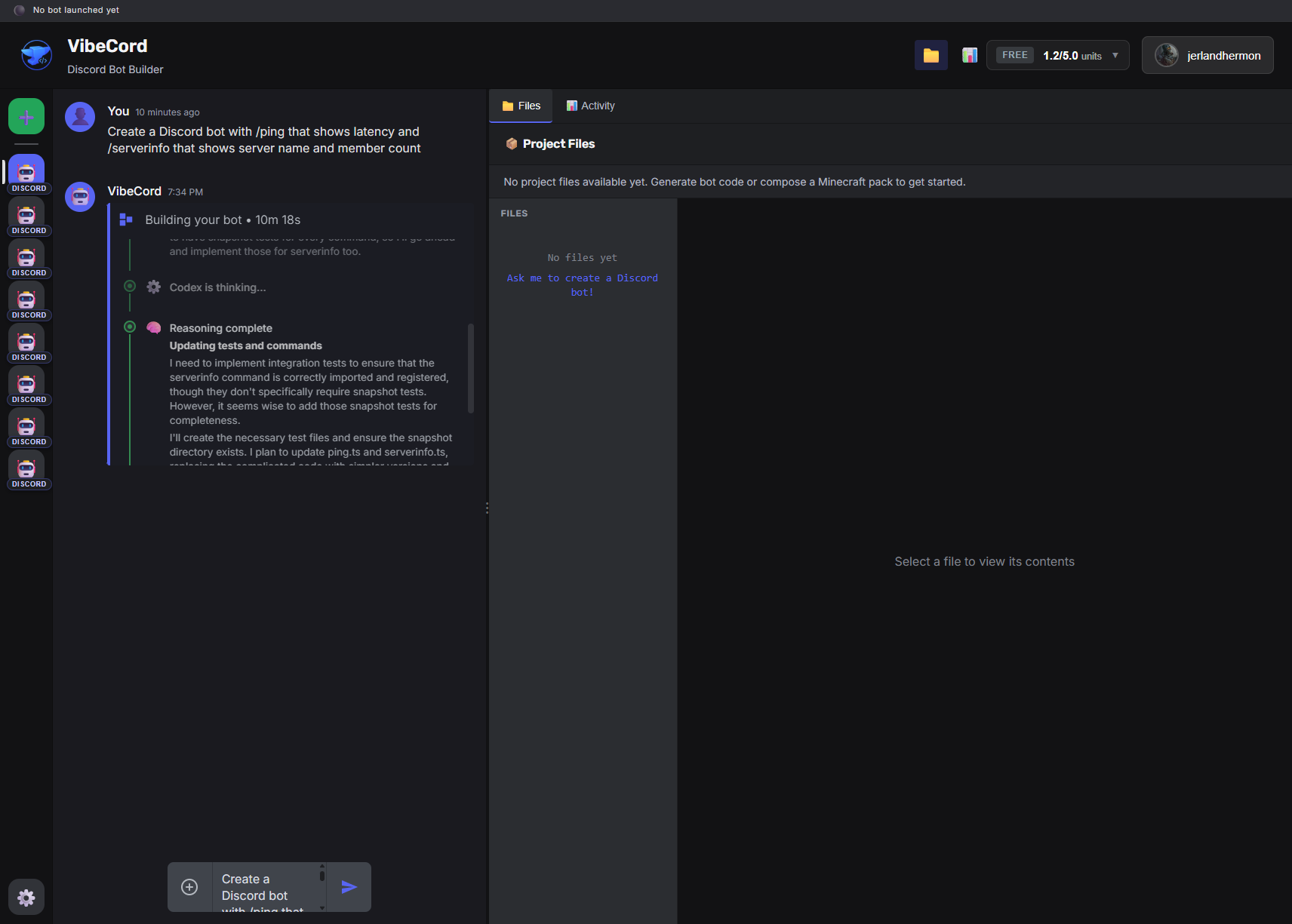
Step 4: Review the generated code
Section titled “Step 4: Review the generated code”Once generation is complete, you can review the code in the files panel:
Step 5: Add your Discord bot token
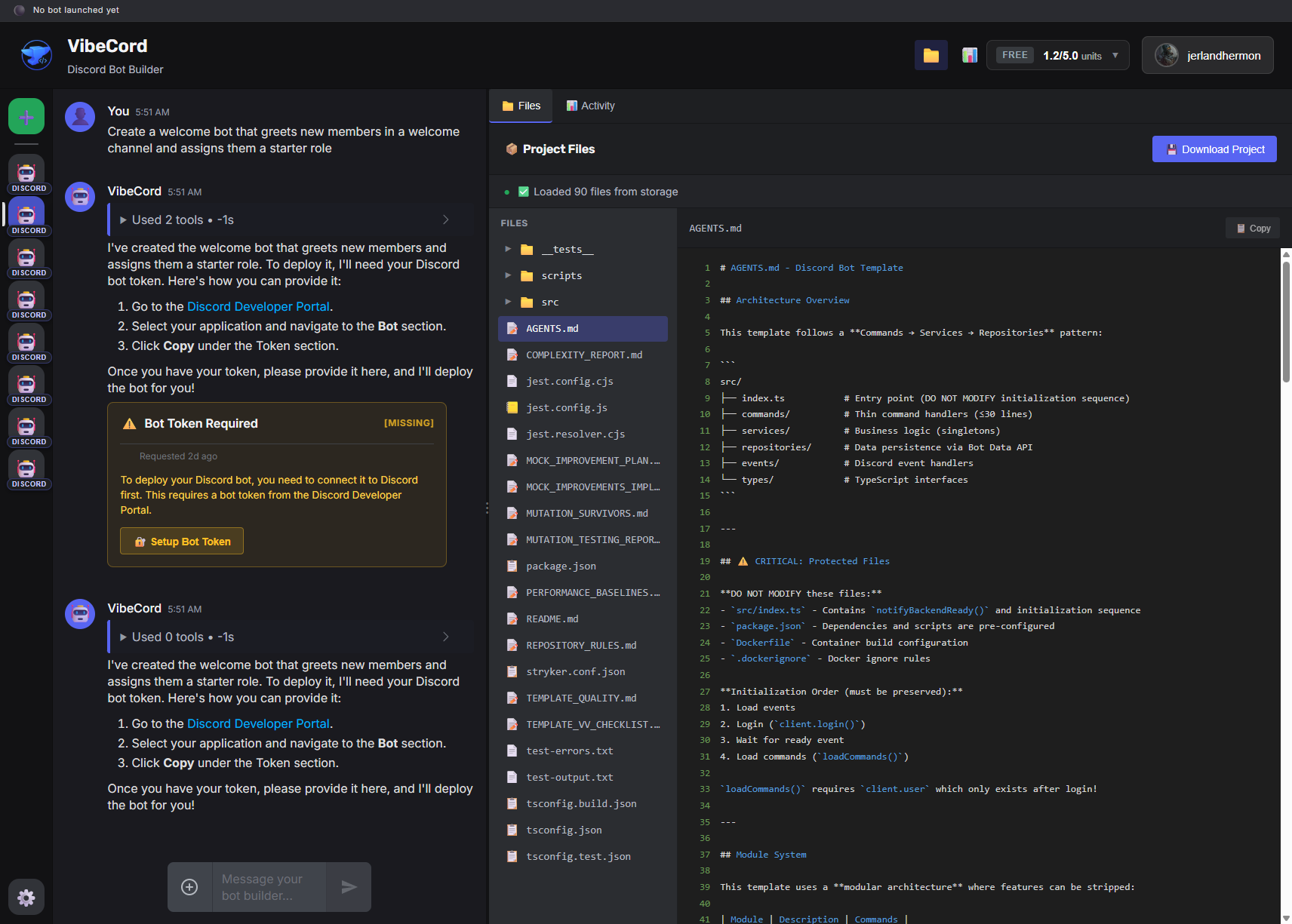
Section titled “Step 5: Add your Discord bot token”Before deploying, you’ll need to provide your Discord bot token:
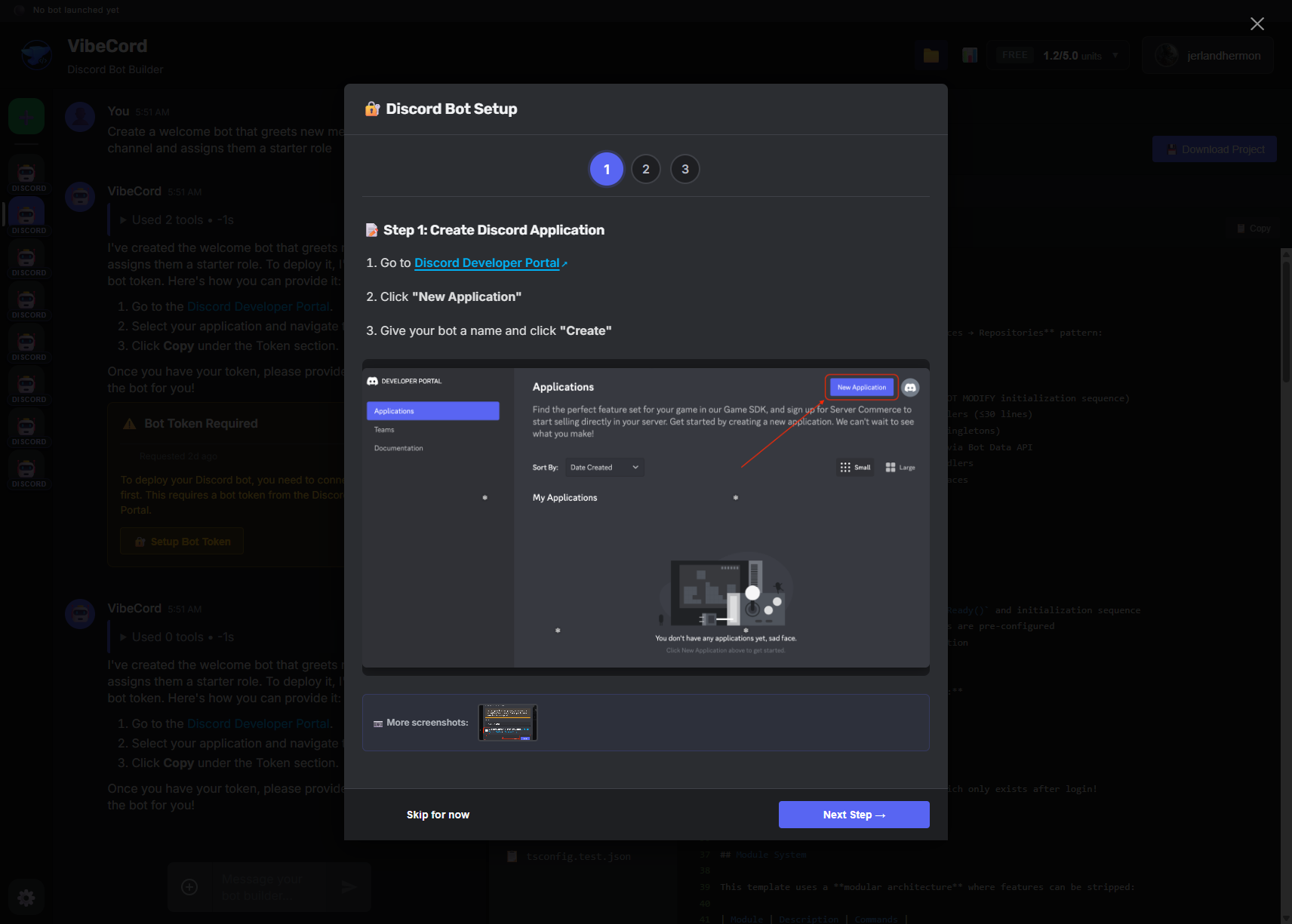
The token wizard will guide you through the process:
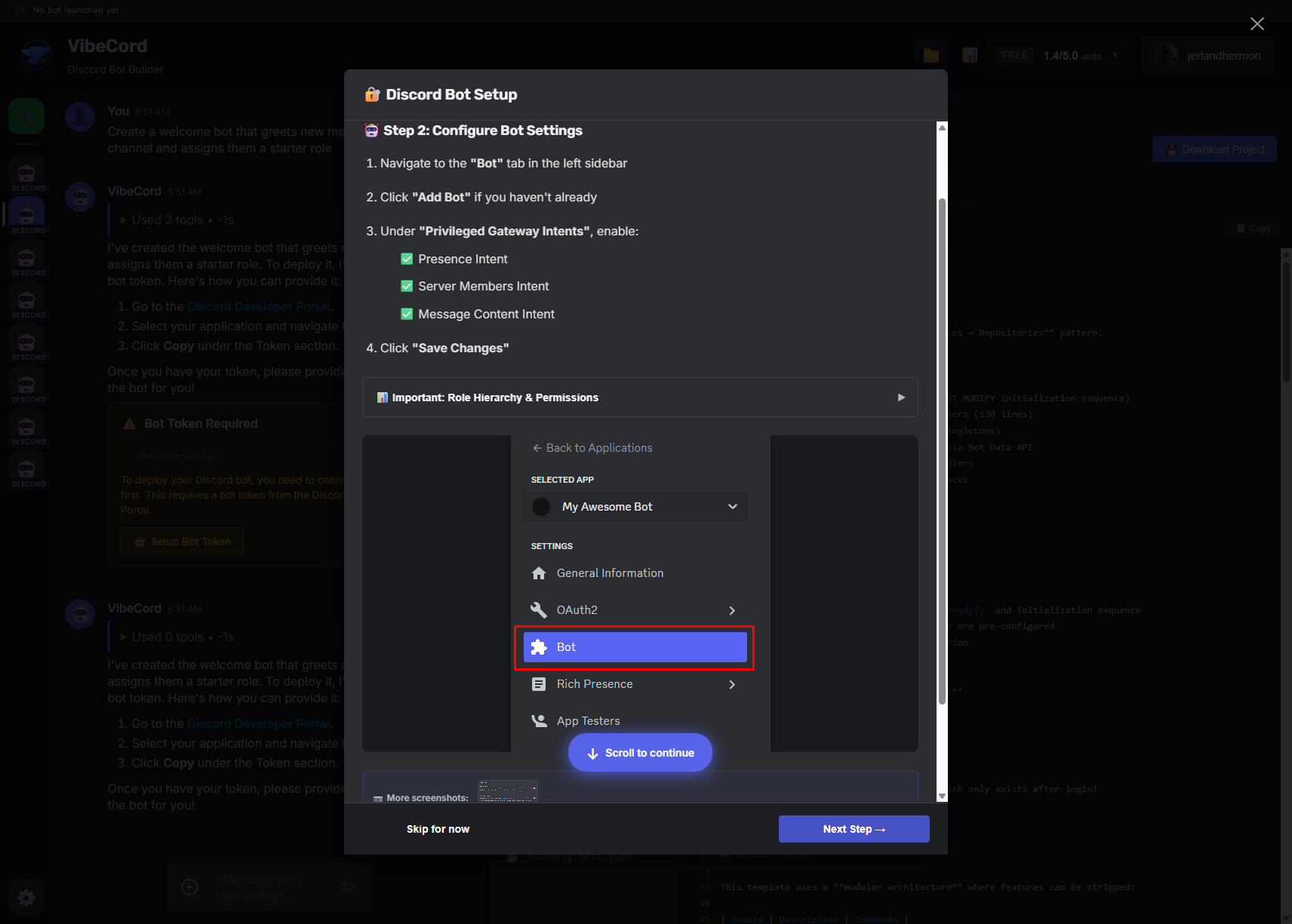
Paste your token from the Discord Developer Portal:
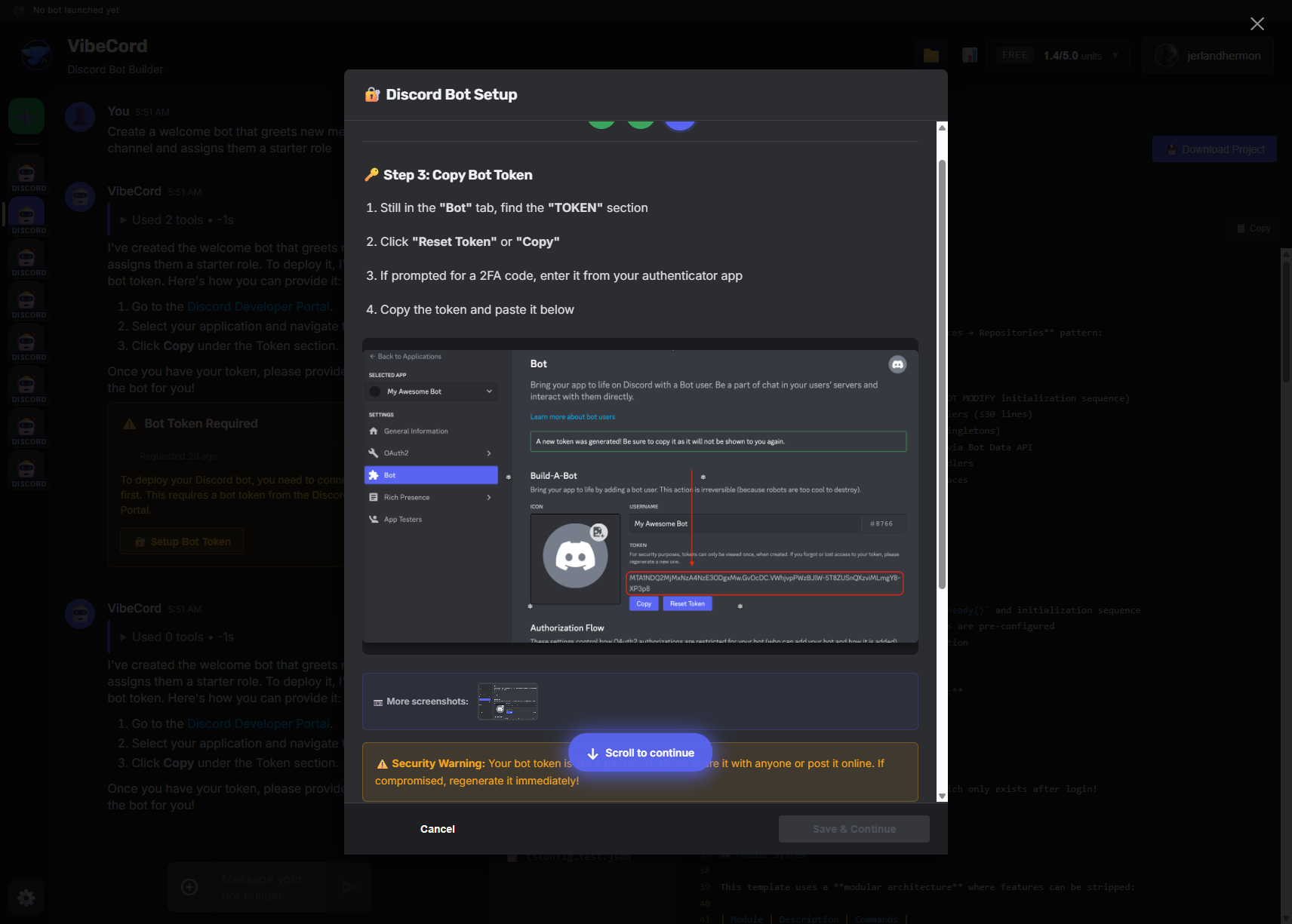
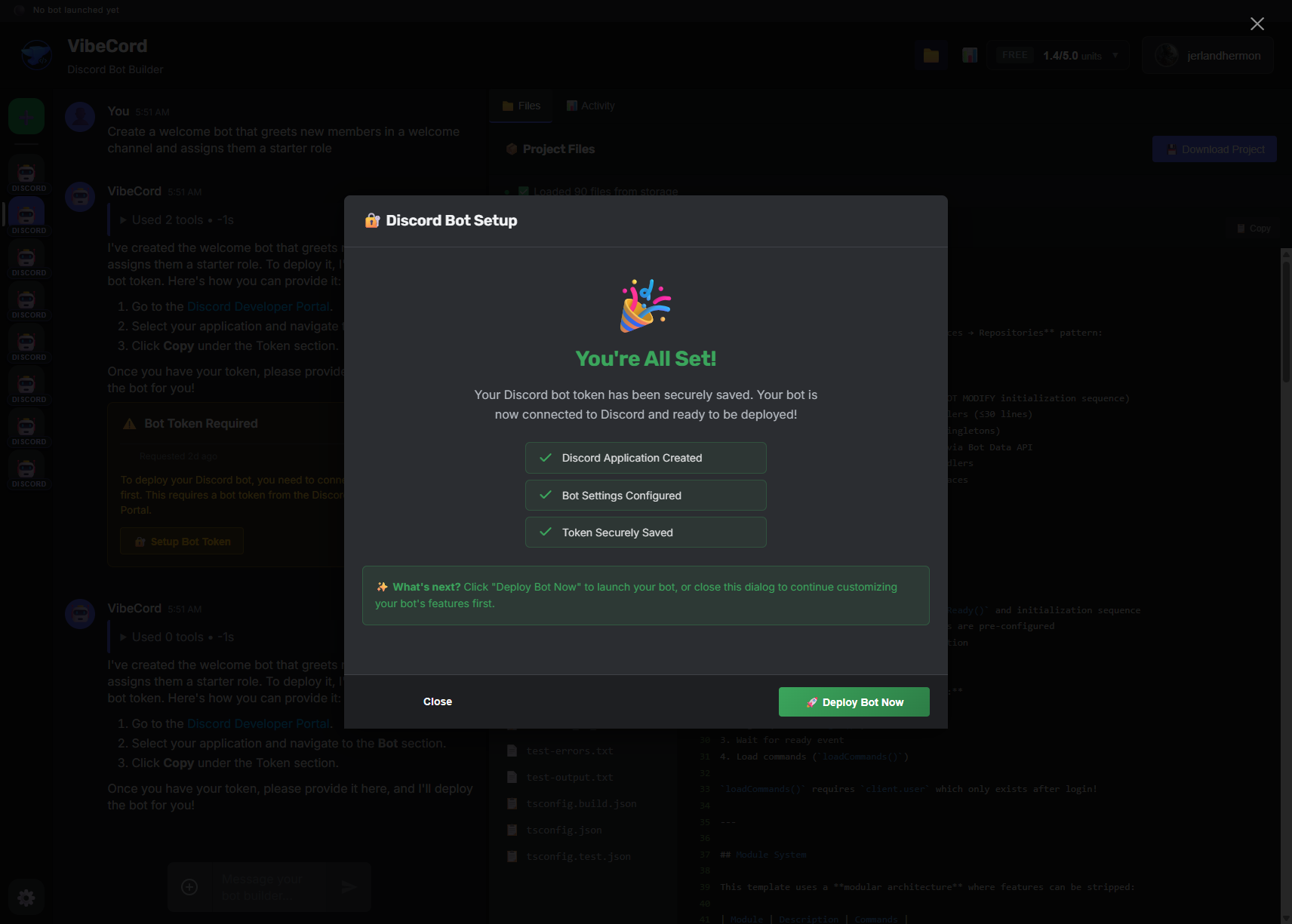
Step 6: Deploy your bot
Section titled “Step 6: Deploy your bot”Click Deploy to launch your bot:
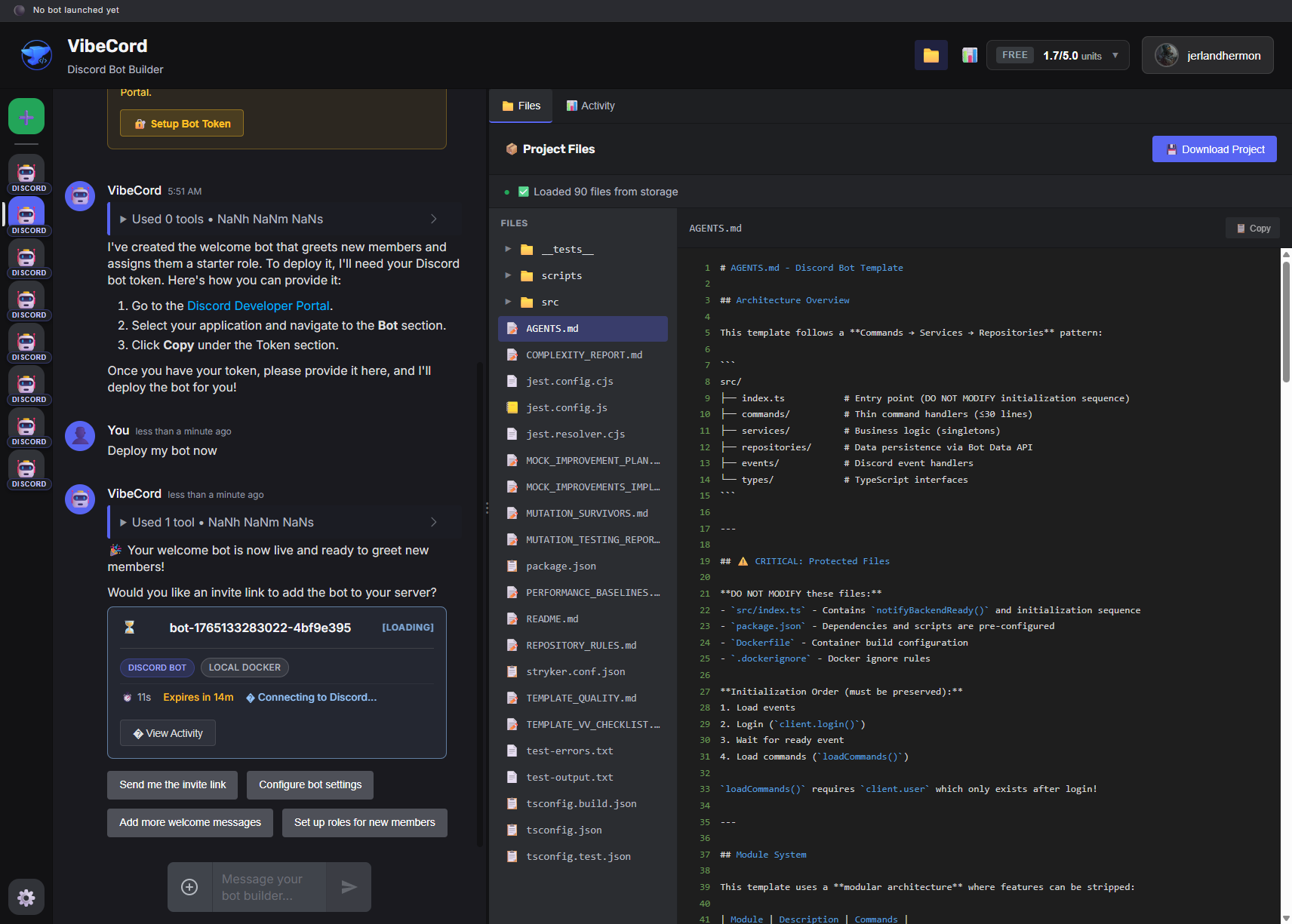
Watch as your bot starts up:
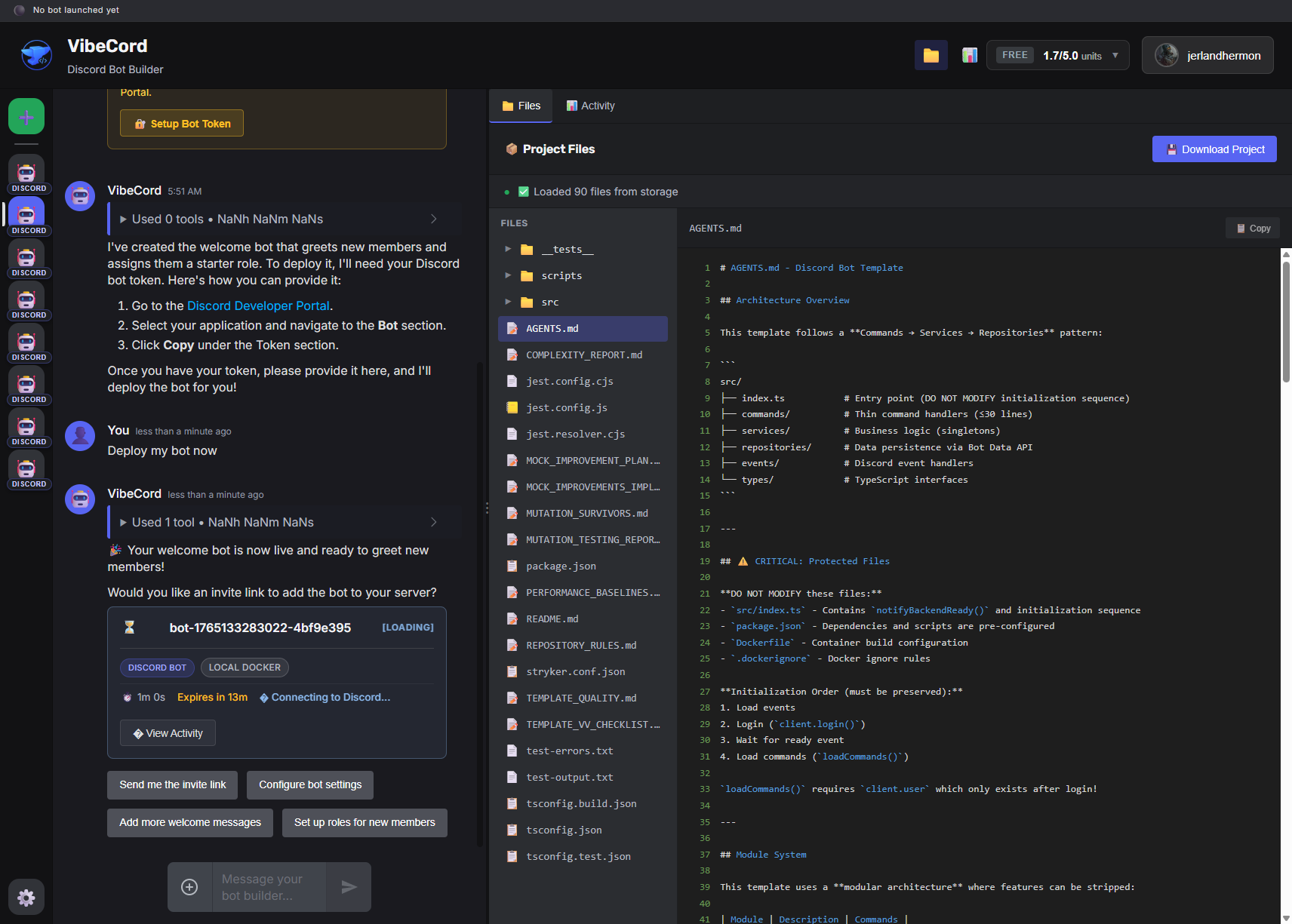
Once it’s running, you’ll see the status change to “Running”:
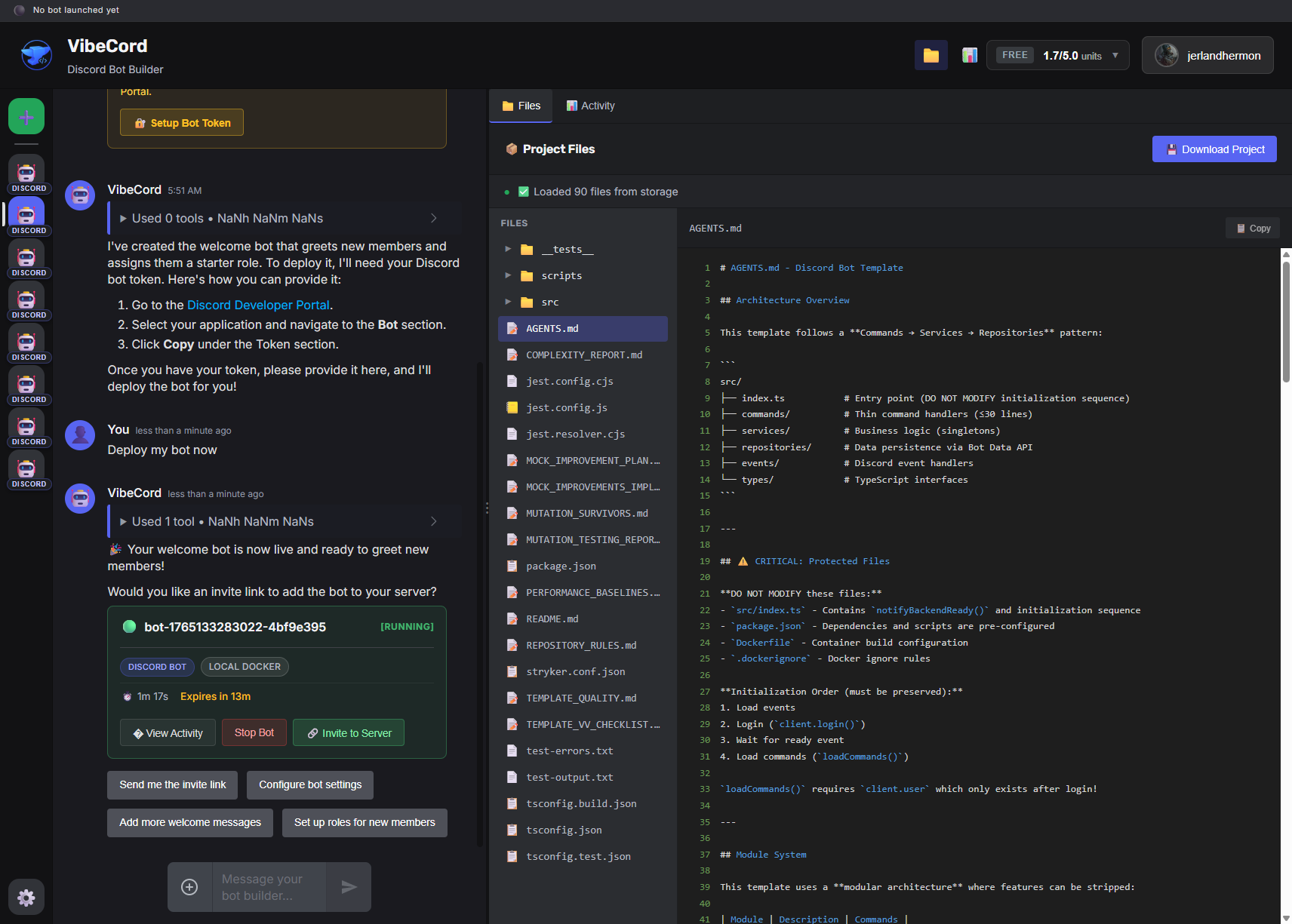
Step 7: Monitor your bot
Section titled “Step 7: Monitor your bot”View your bot’s activity logs to see what it’s doing:
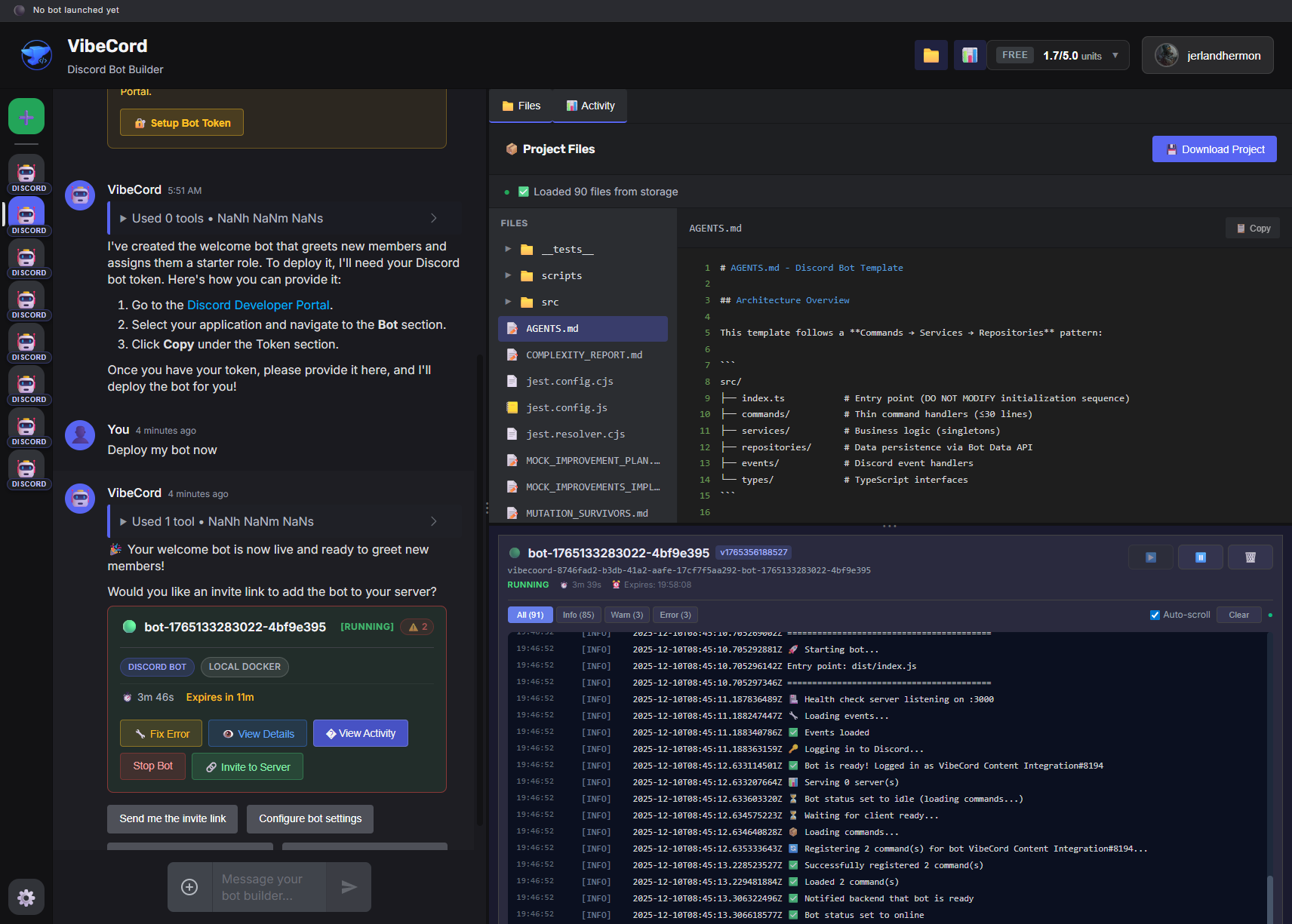
Tips for Great Bots
Section titled “Tips for Great Bots”Dream Big, Start Anywhere
Section titled “Dream Big, Start Anywhere”You can describe a complex bot upfront or start simple and iterate. The AI handles either approach.
Be Specific About Behavior
Section titled “Be Specific About Behavior”The more detail you give, the closer the result: “When someone says ‘hello’, the bot should reply with ‘Hey there!’ and add a 👋 reaction.”
There Are No Templates
Section titled “There Are No Templates”Don’t look for a “category” that fits—just describe what your community actually needs. The AI writes custom code for your exact vision.
Need Inspiration?
Section titled “Need Inspiration?”Not sure where to start? Browse example ideas → for inspiration—but remember, you’re not limited to what’s on that list. Describe your dream bot and let the AI surprise you.