
Start and Stop Your Bots
TL;DR
Start, stop, and redeploy your bot by talking to the agent.
Use the deployment panel to monitor status and logs.
You control your deployed bots by talking to the VibeCord agent — just tell it what you want to do.
Starting and Stopping
Section titled “Starting and Stopping”Start Your Bot
Section titled “Start Your Bot”When you’re ready to deploy or restart your bot, just tell VibeCord:
“Start the bot”
“Deploy my bot”
“Run the bot”
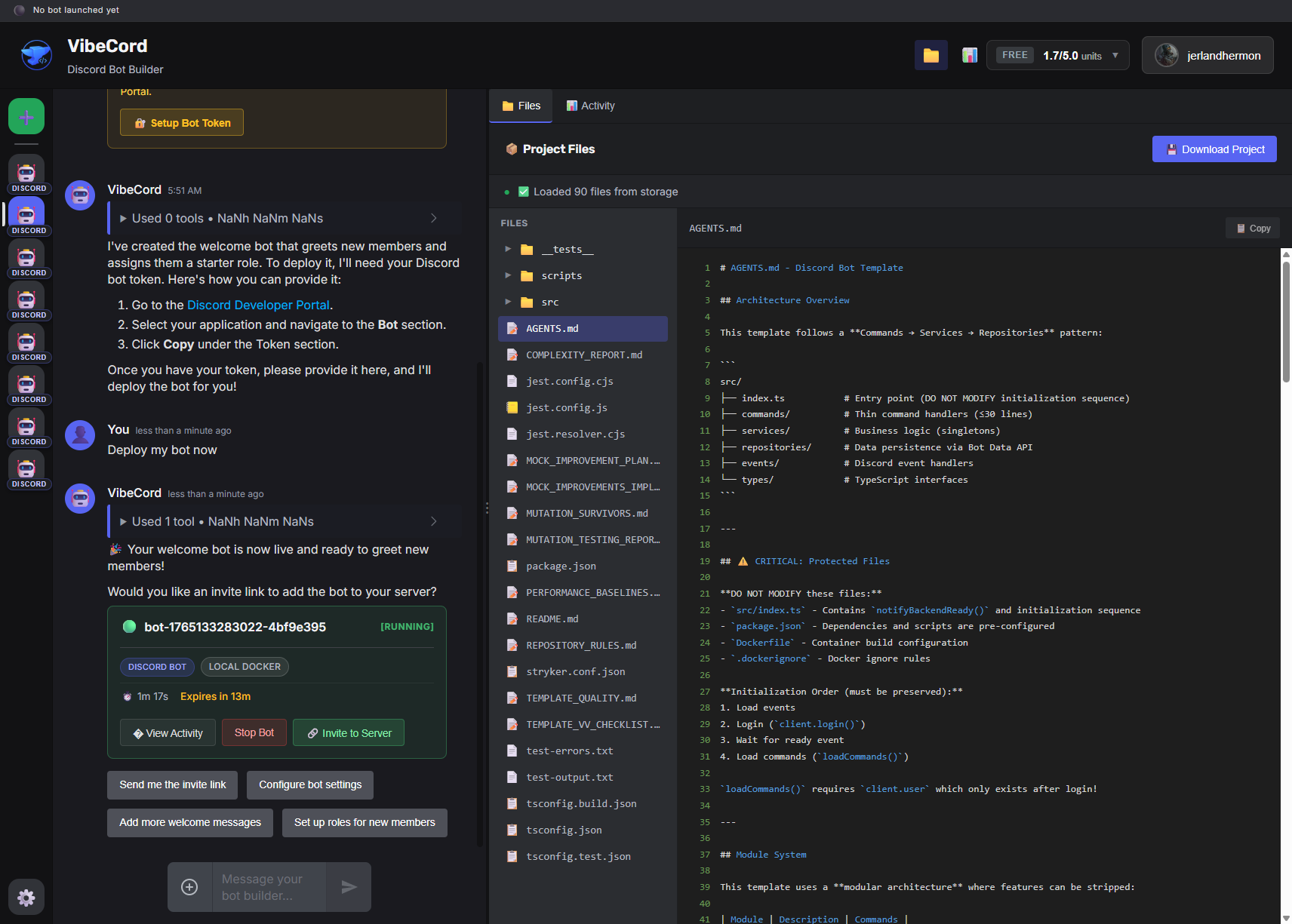
VibeCord will start your bot and show the deployment status in the deployment panel.
Stop Your Bot
Section titled “Stop Your Bot”When you want to stop your bot:
“Stop the bot”
“Shut down the bot”
“Turn off the bot”
VibeCord will stop the deployment and your bot goes offline.
Deployment Panel
Section titled “Deployment Panel”After deploying, you’ll see a Deployment Panel showing:
- Bot status (running, stopped, pending, failed)
- Container name and version
- Uptime duration
- Log output
Understanding Bot Status
Section titled “Understanding Bot Status”| Status | Meaning |
|---|---|
| 🟢 Running | Bot is online and responding |
| 🟡 Pending | Bot is starting up |
| 🟠 Stopping | Bot is shutting down |
| ⚪ Stopped | Bot is offline |
| 🔴 Failed | Bot encountered an error |
Viewing Logs
Section titled “Viewing Logs”The deployment card shows real-time logs from your bot:
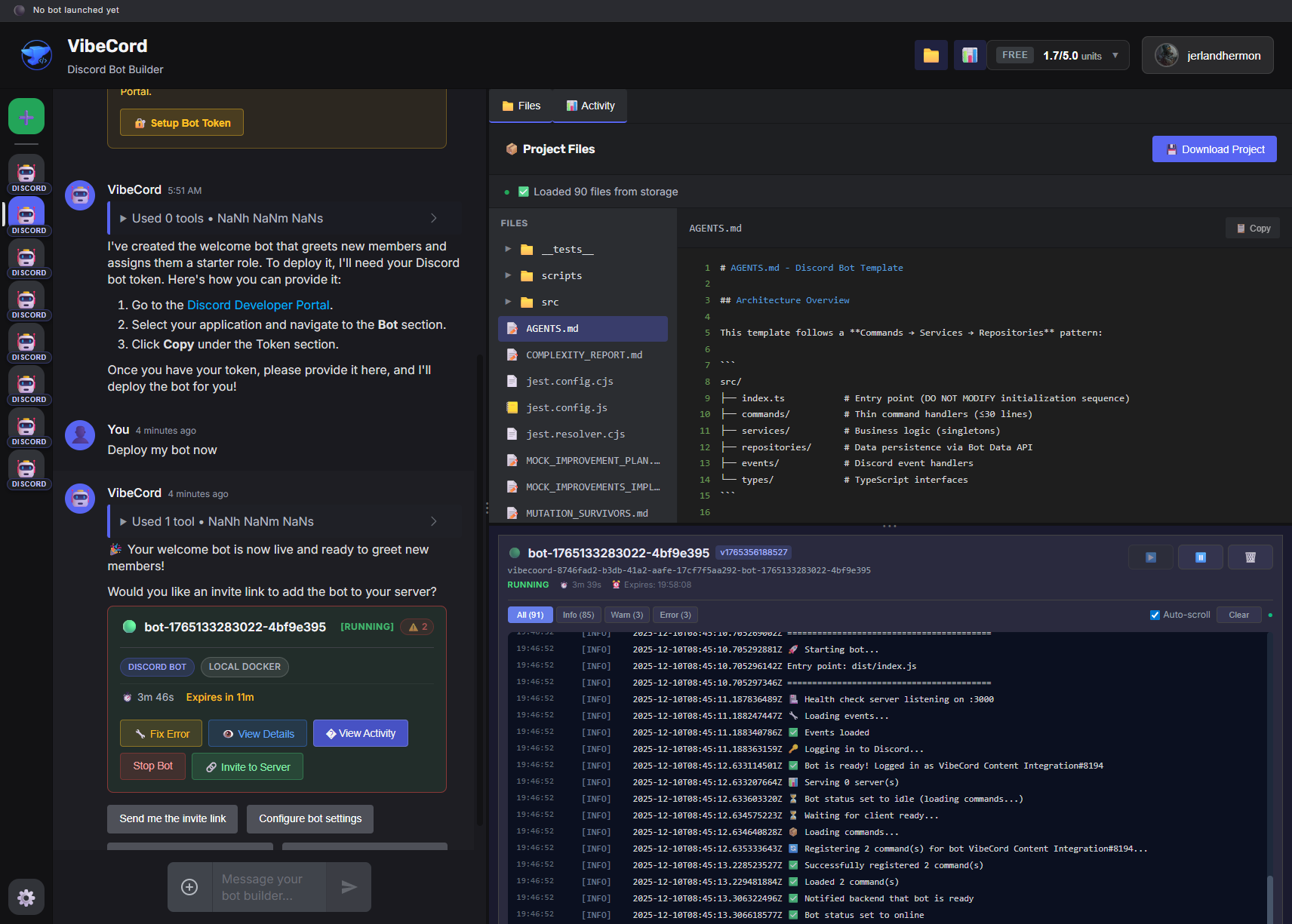
- Info — Normal bot activity
- Warn — Potential issues
- Error — Problems that need attention
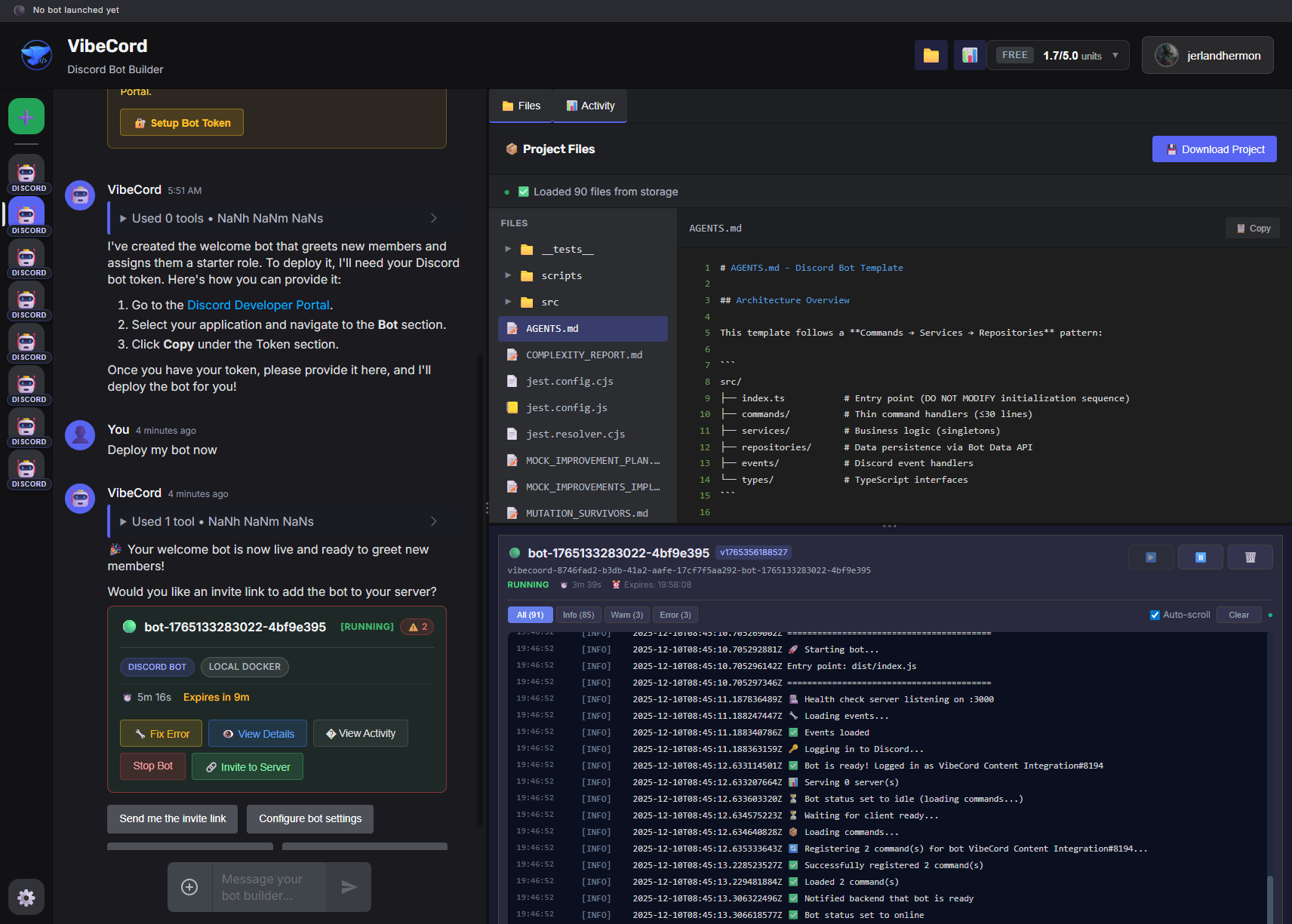
If your bot encounters errors, you’ll see them highlighted:
When to Stop Your Bot
Section titled “When to Stop Your Bot”You might want to stop your bot when:
- Making significant changes — Stop, make changes, then redeploy
- Troubleshooting — Review logs while bot is stopped
- Managing quota — Stop bots to stay within plan limits
- Temporary pause — Your server isn’t active for a while
Restarting Your Bot
Section titled “Restarting Your Bot”A quick restart can fix transient issues. Tell VibeCord:
“Restart the bot”
Or stop and start manually:
“Stop the bot”
(wait for it to stop)
“Start the bot”
This gives your bot a fresh start.
Free Plan Deployments
Section titled “Free Plan Deployments”Free plan deployments are limited to 15 minutes of runtime for testing. After the time expires, the bot stops automatically.
Upgrade to a paid plan for 24/7 uptime.
Troubleshooting
Section titled “Troubleshooting”Bot won’t start
Section titled “Bot won’t start”- Check if you’ve hit your plan’s concurrent bot limit
- Look for error messages in the logs
- Ask VibeCord: “What’s wrong with my deployment?”
Bot keeps stopping
Section titled “Bot keeps stopping”- Review error logs for crashes
- Ask VibeCord to check the logs: “Show me the bot errors”
- For free plan: deployments expire after 15 minutes
Status stuck on “pending”
Section titled “Status stuck on “pending””- Wait up to 2-3 minutes for first deploy
- Try asking VibeCord: “What’s the deployment status?”
- Refresh the page if needed